ACF Field Snippets in your browser
Open any screen that shows Advanced Custom Fields and copy the escaped PHP template code for each field, including repeaters and flexible content. Free, private and local.
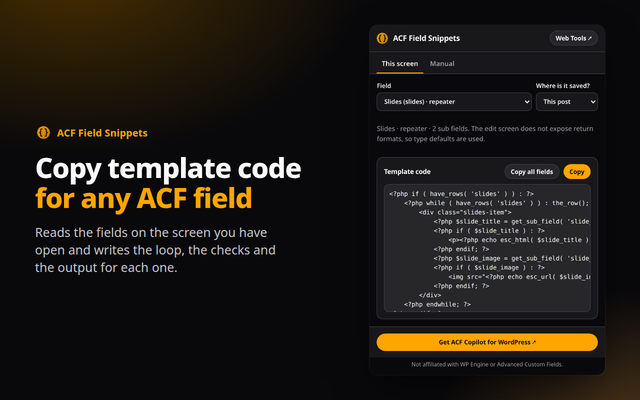
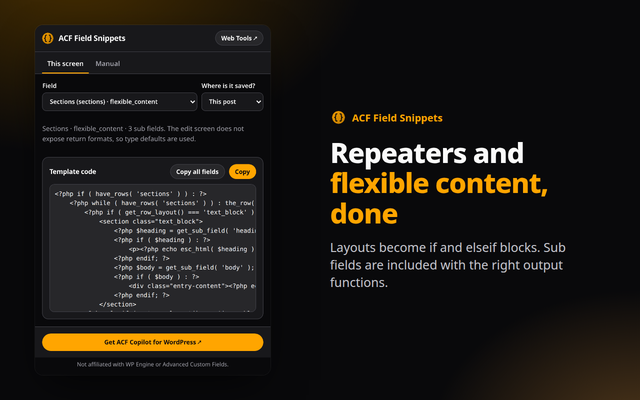
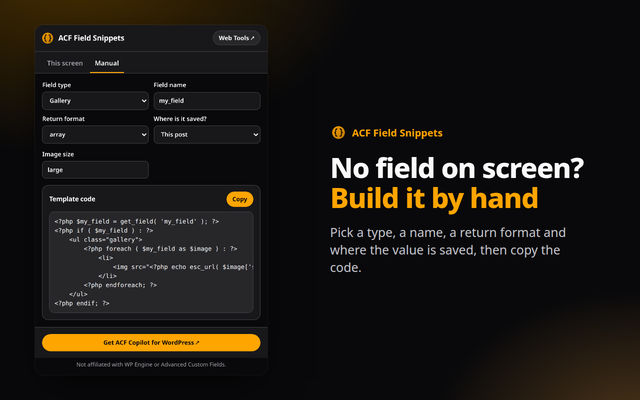
Quick answer: ACF Field Snippets is a free browser extension for Chrome, Edge and Opera (Chromium browsers). It reads the Advanced Custom Fields on the WordPress admin screen you have open and writes the template code for each one, with the right escaping. Everything runs in your browser.
What it does
- Reads your screen: works on the field group editor and on post, page, term, user and options screens. Pick a field, choose where the value is saved, and copy the code.
- Loops and layouts: repeaters get a have_rows loop with every sub field, flexible content gets one branch per layout, and groups read from the group array.
- Escaped by default: esc_html, esc_url, esc_attr and wp_kses_post are chosen for each field type, with image sizes and return formats handled.
- Manual tab: no field on screen? Choose a type, a name and a return format, and the snippet updates as you type.
How to install
- Download the zip above and unzip it to a folder you will keep.
- Open
chrome://extensions(oredge://extensions,opera://extensions) and switch on Developer mode. - Click Load unpacked and choose the unzipped folder, then pin the extension from the puzzle-piece menu.
Firefox only keeps unsigned add-ons until it restarts (about:debugging, Load Temporary Add-on), so a Firefox build will come from the add-ons store once published.
Private by design
The extension runs entirely in your browser. It reads a page only when you open it, sends nothing anywhere, and needs no account. See the Developry privacy policy.
Prefer the web version?
The same kind of tools work in any browser tab: try the free ACF snippet generator on this site, or get the ACF Copilot plugin for WordPress.
Frequently asked questions
Is the extension free?
Yes. It is free, with no account and no ads.
Does it send my site data anywhere?
No. It reads the field names and types on the current admin page only when you open it, and nothing leaves your browser.
Why are return formats not detected on edit screens?
ACF does not print the return format on post edit screens, so type defaults are used there. The field group editor and the Manual tab let you check or change the format.
Which permissions does it need?
activeTab and scripting, to read the current admin page when you open the popup.
Which browsers are supported?
Chrome, Edge, Opera and other Chromium browsers, installed from the downloaded zip. Firefox will follow through the add-ons store.
Is there a WordPress plugin?
Yes. ACF Copilot by Developry. The plugin page is on developry.com.